Splikit · #TapThePost
Tap the Post Generator Free
Free private Tap the Post generator for X/Twitter reveal posts. Default 2×2 tiles, ZIP export, no signup.
Upload
Layout
What Tap the Post means
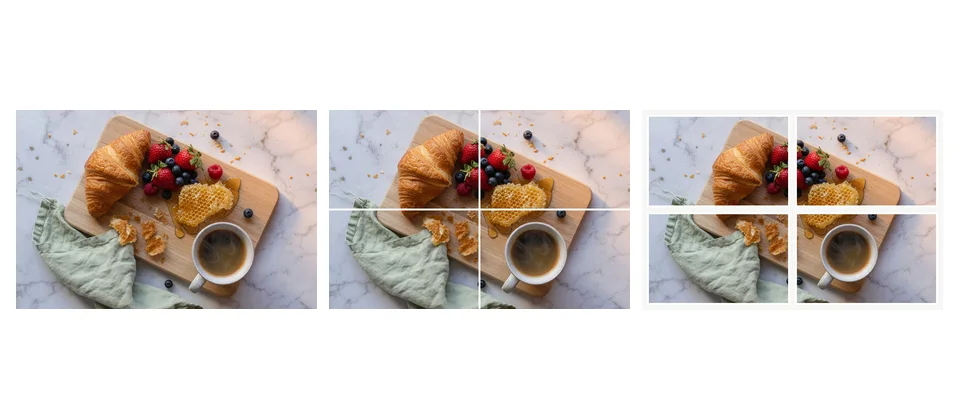
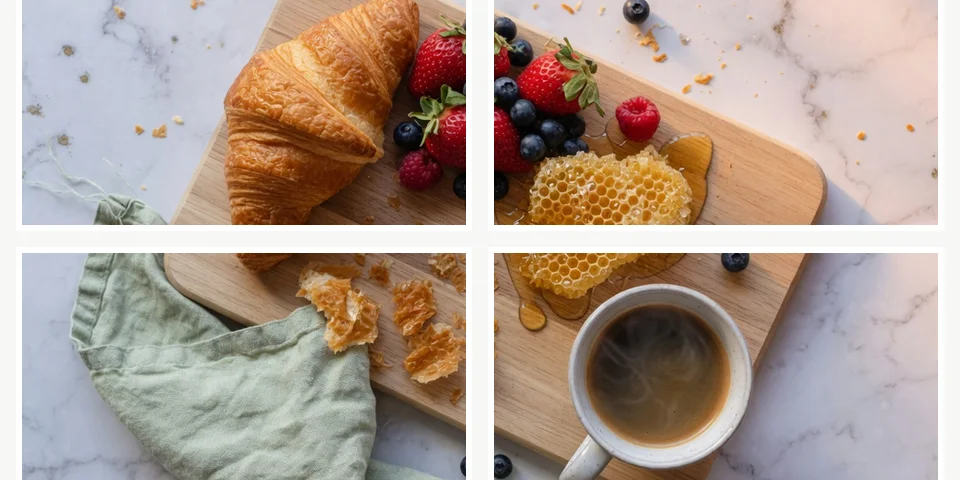
Tap the Post (often written TapThePost) is a multi-image X format that rewards curiosity: people open the post to see how four tiles recombine into a full picture or joke. A generator automates the equal 2×2 slice so creators do not hand-crop in Photoshop.
Splikit focuses on private, numbered exports. For general multi-tile X graphics beyond the reveal trend, use the X image splitter. Instagram profile puzzles belong on the Instagram grid maker instead.
Good reveal posts still need a strong collapsed preview. If every tile is abstract noise, people may not tap. Keep one readable element visible in the feed thumbnail even when the joke lives in the full four-up.
Brands use the pattern for product drops, spoiler-safe announcements, and meme marketing. Always confirm rights for source photos—especially celebrity or user-generated content—before shipping a viral format that spreads quickly.
Trend pages go stale when they only hype slang. This page documents the practical workflow: 2×2 default, ZIP export, honest browser limits, and clear differentiation from Instagram tools that solve a different social surface.
If engagement is the goal, pair the visual with a short caption that states the invite (“open the images”) without spoiling the reveal. Overlong captions compete with the curiosity the format is built for.

How to use this Tap the Post generator
Pick a reveal-worthy image
Choose a photo where the “hidden” detail sits in one quadrant after the 2×2 cut.
Crop for 2×2
Frame with the Tap the Post generator so seams do not bisect critical faces.
Export and post
Download the ZIP, upload tiles in numbered order, and write a caption that invites the tap/open.
Tips that improve engagement
Place the “surprise” detail in a corner tile so the collapsed preview still looks intentional. Keep captions short and curiosity-driven. Export PNG when text is part of the art.
Honest limits still apply: browser memory, about 20 MB comfort zone, and the need for correct multi-image order on X. A wrong upload sequence destroys the joke even if the crop was perfect.
This URL is the English Splikit landing for reveal-style posts—not a generic homepage clone and not an Instagram profile mosaic tool.
When testing, post once privately or on a secondary account, confirm tile order, then ship the final version. Small QA steps beat deleting and reposting a broken viral attempt.
Reveal formats beyond pure memes
Product teams use four-tile reveals for unboxings, colorway drops, and spoiler-safe trailers. The mechanic is the same as a meme: curiosity first, full context after open.
Educators sometimes hide an answer key across tiles for quiz-style posts. Keep educational reveals accessible by restating the answer in the caption thread after engagement starts.
Always respect platform rules and local advertising standards. A viral format is not a license for misleading claims or non-consensual imagery.
Archive the master and the ZIP together. When a post performs well, you will want the exact crop parameters and filenames for a sequel creative.
Keep exports organized by campaign date so you can recreate a winning reveal without re-cropping from scratch later.
Tap the Post FAQ
What is a Tap the Post generator?
It creates a multi-tile image set for X posts that invite people to open the multi-image layout for a reveal effect.
Is this free on Splikit?
Yes. The tool is free online with private browser processing and no account requirement.
How many tiles does the format usually use?
The common viral pattern is four tiles in a 2×2. This page defaults to that layout while still using the proven crop engine.
Is this the same as a general X image splitter?
Related, but different intent. This page is trend/reveal focused; the X image splitter page covers broader multi-tile graphics including 2-strip layouts.
Does Splikit upload my photo?
No for the core split. Everything runs locally before ZIP download.
What upload order should I use?
Use the numbered files from the tool and follow the on-page order hints so the reveal reads correctly in X’s multi-image composer.
Can I create this on mobile?
Yes in a modern browser. Large images may process more smoothly on desktop.
Do I need design skills?
You only need a source image. Crop framing matters more than advanced design for a clean 2×2 reveal.
Is #TapThePost still useful if the trend cools?
Even outside peak trend cycles, four-tile reveals remain a useful engagement pattern for product drops and memes on X.