Splikit · 6-part split
Split Image in 6 Parts Free
Split image into 6 parts with 2×3 or 3×2 templates. Splikit keeps the image splitter private and numbers every tile for carousel or print sets.
Drag & drop an image
Supports JPG, PNG, WebP, GIF, BMP, AVIF formats
Drop · browse · paste
Settings
LiveRelated
When should you split image in 6 parts?
Six-piece layouts fit two-row campaign grids, storyboard frames, contact sheets, and denser print tiles. Choose 2×3 for wider scenes or 3×2 for taller content when you split image into six equal pieces online.
Splikit presets those grids so the image splitter stays simple. For full Instagram profile mosaics, nine parts are more common; for short triptychs, use three parts. A six-way split image is the middle ground between a short carousel and a dense mosaic.
Prefer another count? Jump to 2, 3, 4, 6, 9, or 12 parts—or the full image splitter.
Choose a 2×3 or 3×2 six-piece grid
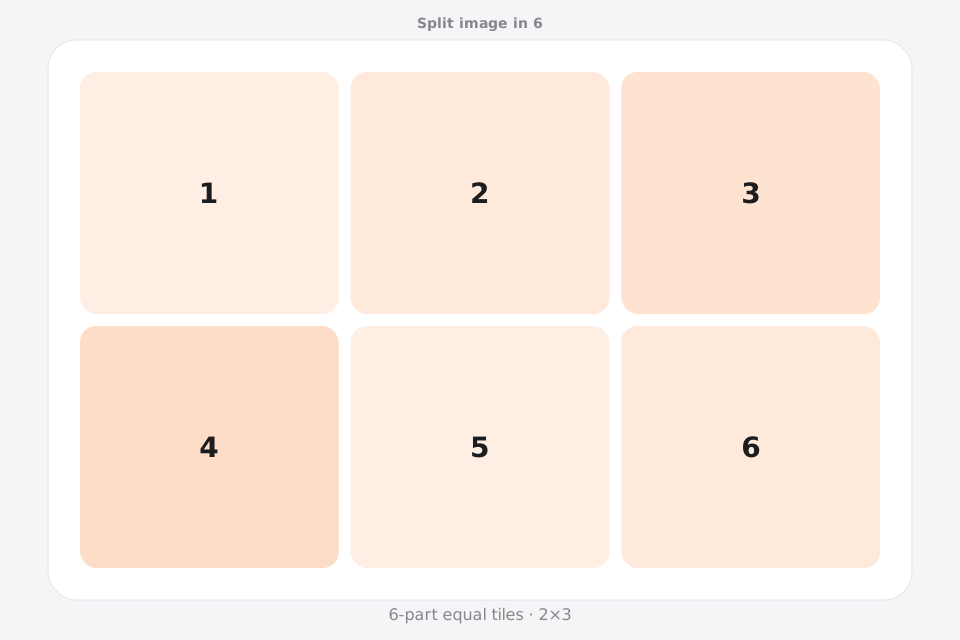
The six-part route always creates a wrapped grid when you split image in 6. A 2×3 layout means two rows and three columns; a 3×2 layout means three rows and two columns. Neither preset is a seamless 1×6 panorama.
2×3: two rows, three columns
Use this wider grid for a two-row campaign board, six-card teaching set, profile planning mockup, or landscape print arrangement. Read the tiles left to right across the first row, then the second.
3×2: three rows, two columns
Use the taller grid for portrait artwork, step-by-step posters, vertical storyboards, or narrow wall displays. It preserves more vertical rhythm while keeping every row to two pieces.
Grid sequence versus swipe panorama
A six-piece split image can be uploaded as six slides, but the source wraps after each row. For one continuous left-to-right panorama, use the Instagram Carousel Splitter instead of pretending 2×3 is 1×6.
How to split image in 6 parts
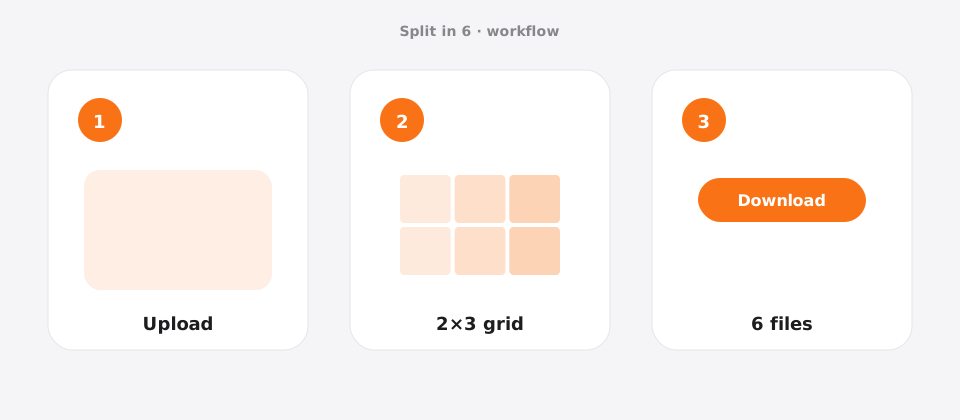
Upload your photo
Add a JPG, PNG, or WebP file to Splikit. The 6-part split image tool accepts common formats up to about 20 MB.
Confirm the grid
Templates: 2×3 or 3×2. Preview updates as you switch allowed templates.
Download numbered pieces
Run Split Image and save all 6 tiles. Numbers help you post or print in the correct order.
Features for a clean 6-part layout
This 6-part route focuses on 2×3 / 3×2 storyboards. Longer carousels and denser print sets benefit from preset rows/columns and ordered downloads.
Splikit keeps the same private browser engine across the kit, but this URL’s intent is specifically a 6-part layout—not a general homepage grid and not a multi-page PDF poster workflow. Limits stay honest: about 20 MB sources here; custom rows/columns up to 10×10 live on the full splitter when presets are too narrow.
Nine-part Instagram puzzles and PDF poster assembly are separate tools so this page can stay focused on six-piece sequences.
Use cases for 6 equal pieces
Two-row campaign board
Scenario → six coordinated campaign tiles · Setting → 2×3 · Output → JPG · Caveat → plan the row break between tiles 3 and 4.
Storyboard frames
Scenario → pitch deck visuals · Setting → 3×2 · Output → PNG · Caveat → keep text large enough per tile.
Print tile set
Scenario → six small prints · Setting → 2×3 · Output → PNG · Caveat → consistent margins when framing.
Campaign sequence
Scenario → multi-day post series · Setting → 2×3 · Output → JPG · Caveat → schedule with numbered order.
Pro tips for a clean 6-part result
- Preview which orientation (2×3 vs 3×2) matches your story direction before you split image.
- Use higher resolution sources—six tiles shrink each piece more than a 2-part cut.
- Keep critical faces off shared edges.
- Download all, then verify order 1–6 before uploading.
- Need nine for a profile puzzle? Switch to split image in 9.
Split image in 6 FAQ
How do I split image in 6 parts free? +
Upload, pick 2×3 or 3×2, run the split image action, and download six numbered files. Free and no signup on Splikit.
2×3 or 3×2—which layout should I pick? +
2×3 favors wider panoramic content; 3×2 favors taller compositions. Match the layout to how viewers will swipe or hang the tiles.
Is browser processing private for a 6-part split image? +
Yes. Core processing is local. Your photo does not need a server upload for the standard split image cut.
Can I post all six as one Instagram carousel? +
You can upload all six files as one carousel, but a 2×3 or 3×2 source is a wrapped grid rather than a seamless 1×6 panorama. Use the Carousel Splitter when every swipe must continue horizontally.
What source size is good when I create 6 tiles? +
Prefer large sources (for example 2400px on the long side or more) so each tile remains usable after social compression.
Can I customize beyond 2×3 / 3×2? +
Use the homepage custom tool for other grids. This page focuses on six equal parts.
Does Splikit watermark six-part exports? +
No. Exports are clean for free use of the core tool.
How is this different from a 9-part grid? +
Nine parts target 3×3 profile puzzles. Six parts suit longer carousels and rectangular storyboards.
Split image in 6 parts now
Return to the free Splikit image splitter on this page—private, numbered, no signup.
Open the 6-part tool